The one that runs on your own server too
n8n does what the big automation services do, except it runs on hardware you own. Same logic as owning HomeService.Photos outright: the photos, and the setup that moves them, both stay under your roof.
What it saves you
A report finishes here, and n8n can take it from there. It can file the report where your office already keeps its paperwork, text the customer their share link, or drop a row into whatever you use for payroll. It reaches hundreds of programs, and none of it leaves hardware you control.
Setting it up
Think of it like a mailbox. The other program hands you an address of its own, you paste that address into our Connections screen, and from then on, the moment something happens on a job, we drop a note in that mailbox for it to find.
Real screens, in order. Where a step happens inside n8n the label says so, and where it happens here it says that.
- 1In n8n
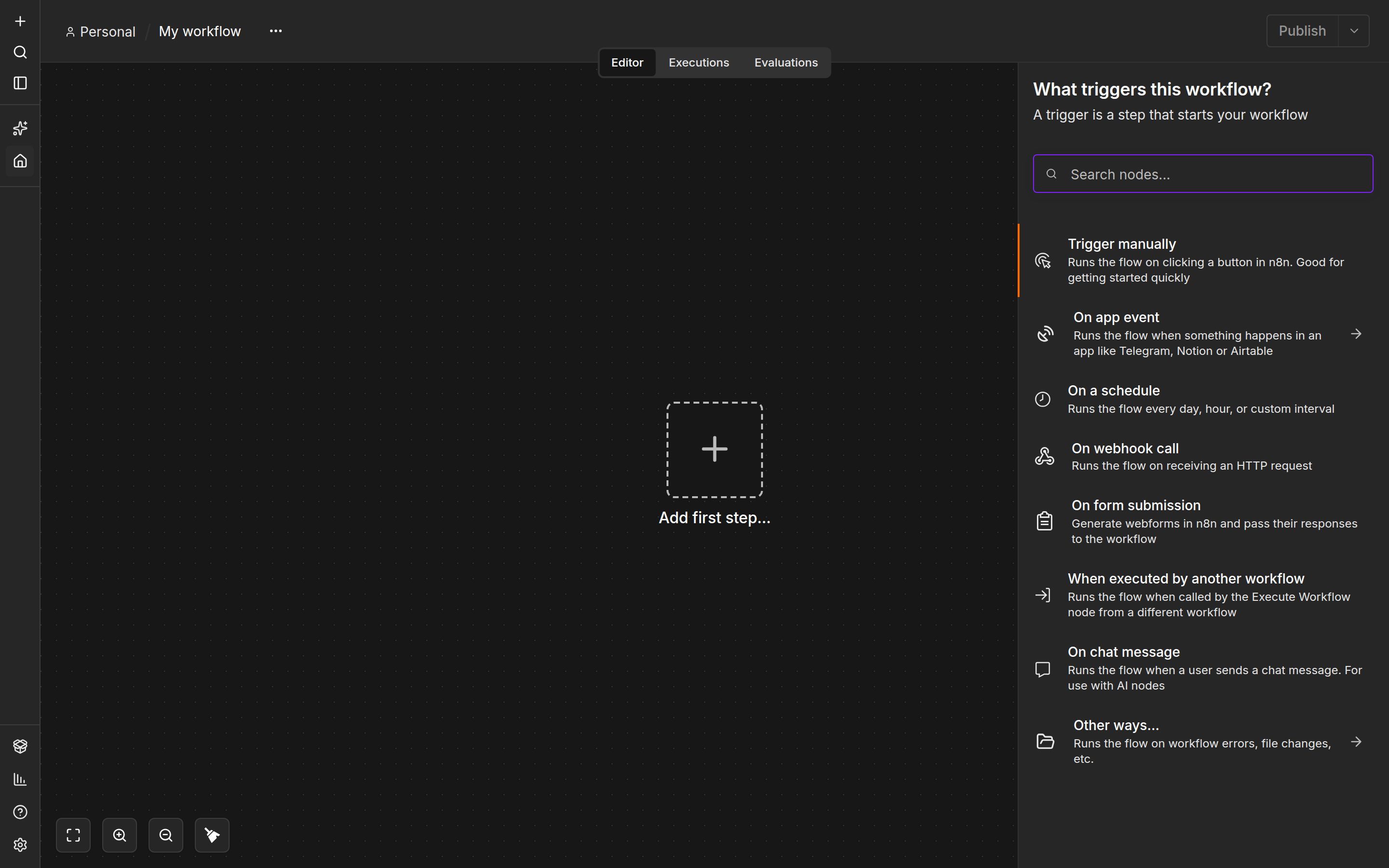
Start a new workflow in n8n. When it asks what should start it, pick "On webhook call". That is the one that gives the workflow a web address of its own.
- 2In n8n
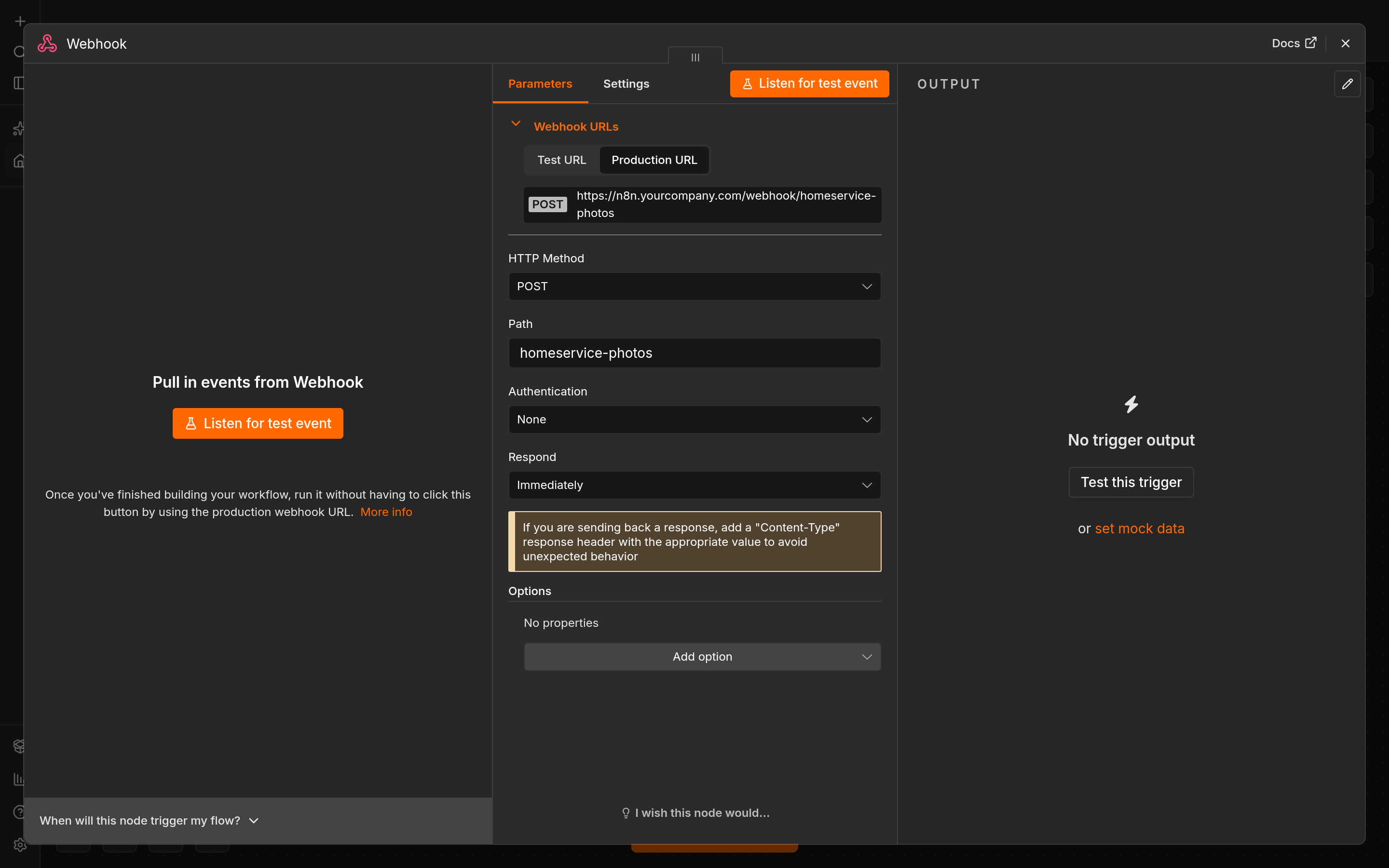
Set it to accept notes coming in, not send requests out. Give the step a name you will recognise, and copy the address listed under Production URL.
- 3In HomeService.Photos
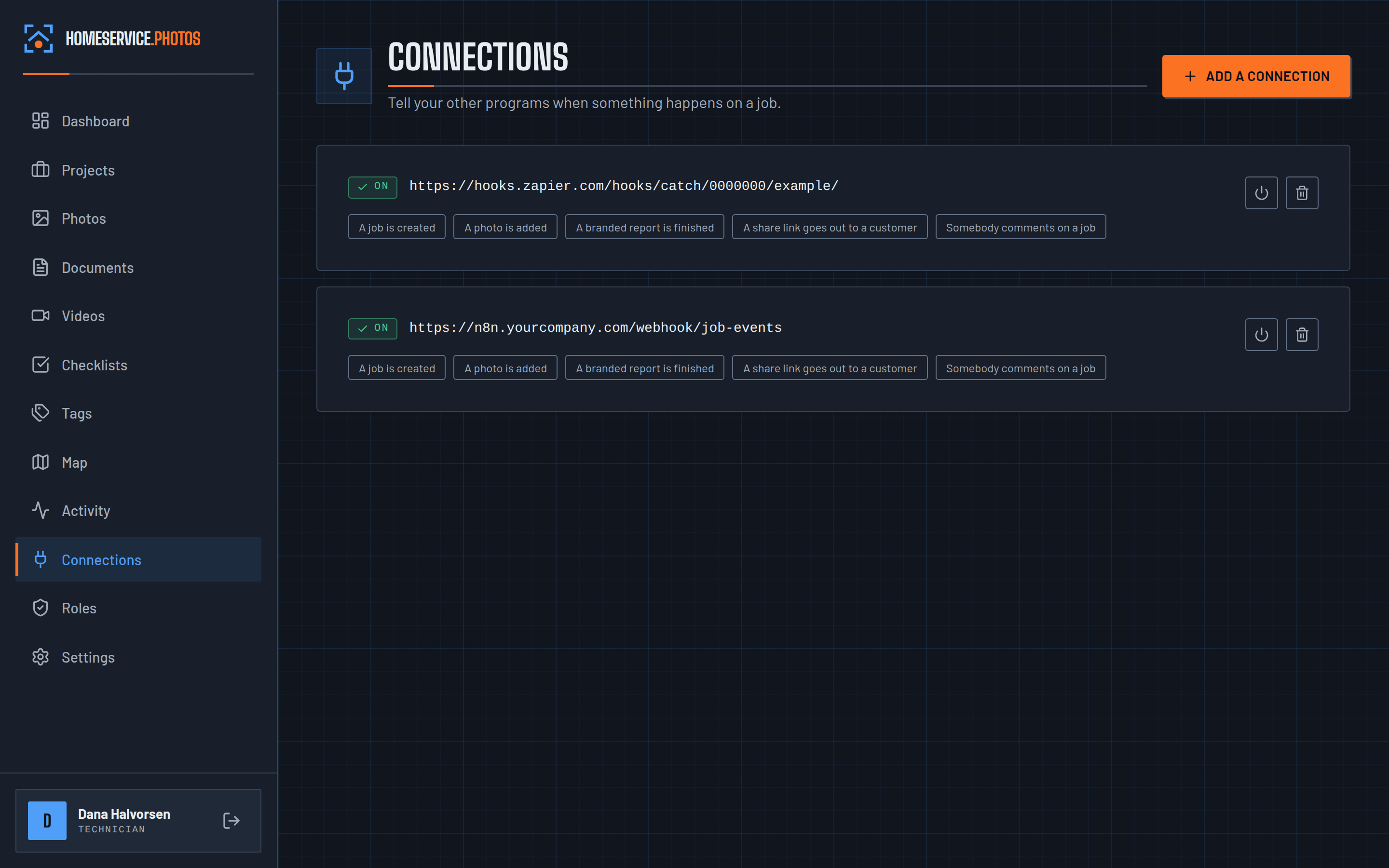
Open Connections here, paste that address into the Address field, and tick "A branded report is finished". Save it.
- 4In n8n
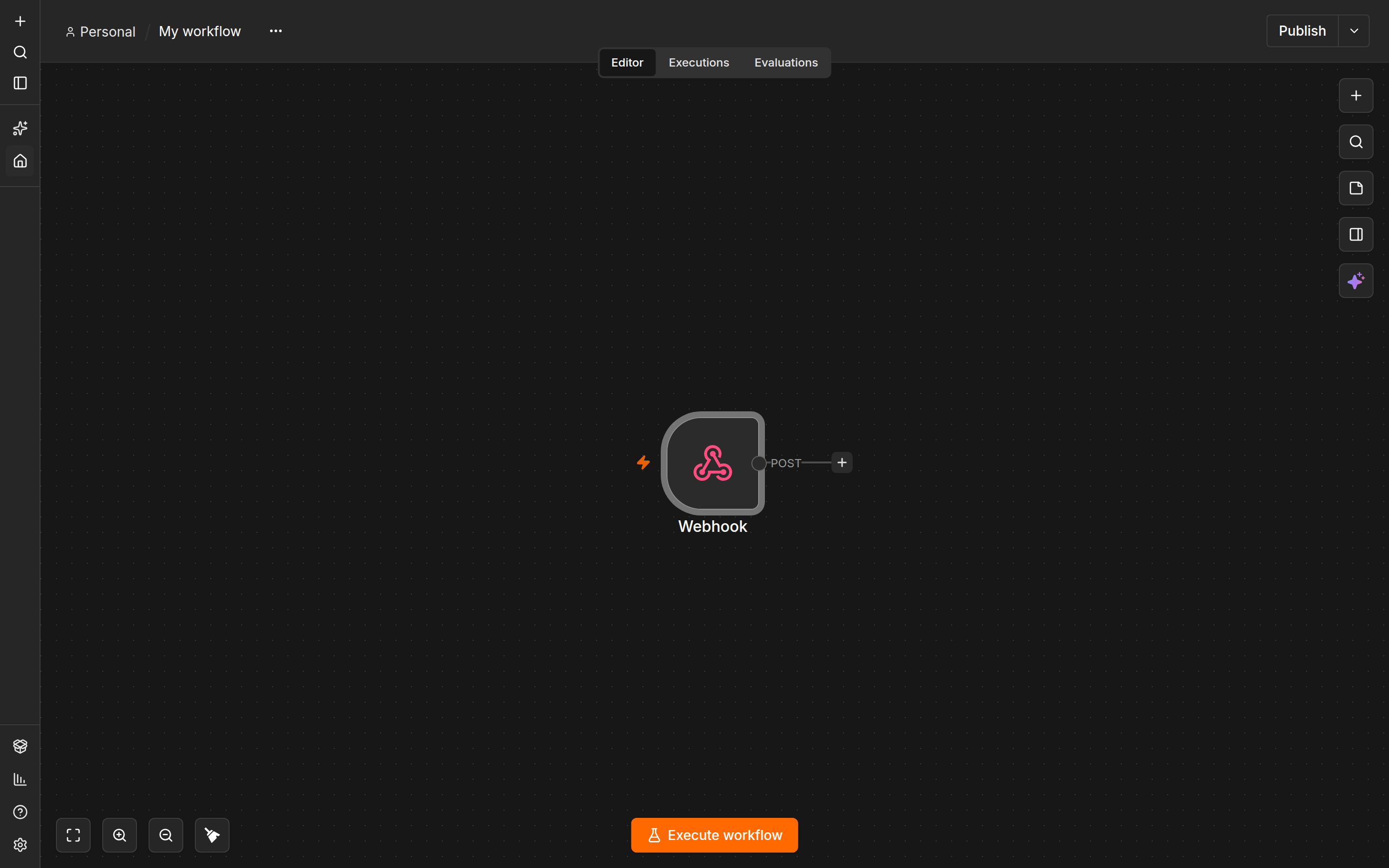
Back in n8n, add whatever should happen next. That might be filing the report, texting the link, or something else you need. Then publish the workflow so it runs for real.


We ran this test ourselves
A job was created in HomeService.Photos, and the news landed in both Zapier and a self-hosted n8n in eleven thousandths of a second. Both confirmed they got it. They are very different tools, and neither needed special handling.
- Which job it was, and what it is called
- The address, city, state and postal code
- Who created it, by name
- The date and time, to the second
- A link that opens that job directly
- What kind of thing happened: a job created, a photo added, or a report finished