If Zapier reaches it, your job photos reach it
We do not keep a list of one-click connections to pick from. Instead we hand the news to Zapier, which already reaches thousands of programs. That includes accounting, texting, spreadsheets, and nearly anything else you run.
What it saves you
Because Zapier reaches so much, you are not stuck picking from the four or five names everybody in this trade already uses. A photo tagged "damage" can text your adjuster. A finished job can drop a row into a spreadsheet for payroll. A new comment on a job can land straight in the crew’s group chat.
Setting it up
Think of it like a mailbox. The other program hands you an address of its own, you paste that address into our Connections screen, and from then on, the moment something happens on a job, we drop a note in that mailbox for it to find.
Real screens, in order. Where a step happens inside Zapier the label says so, and where it happens here it says that.
- 1In Zapier
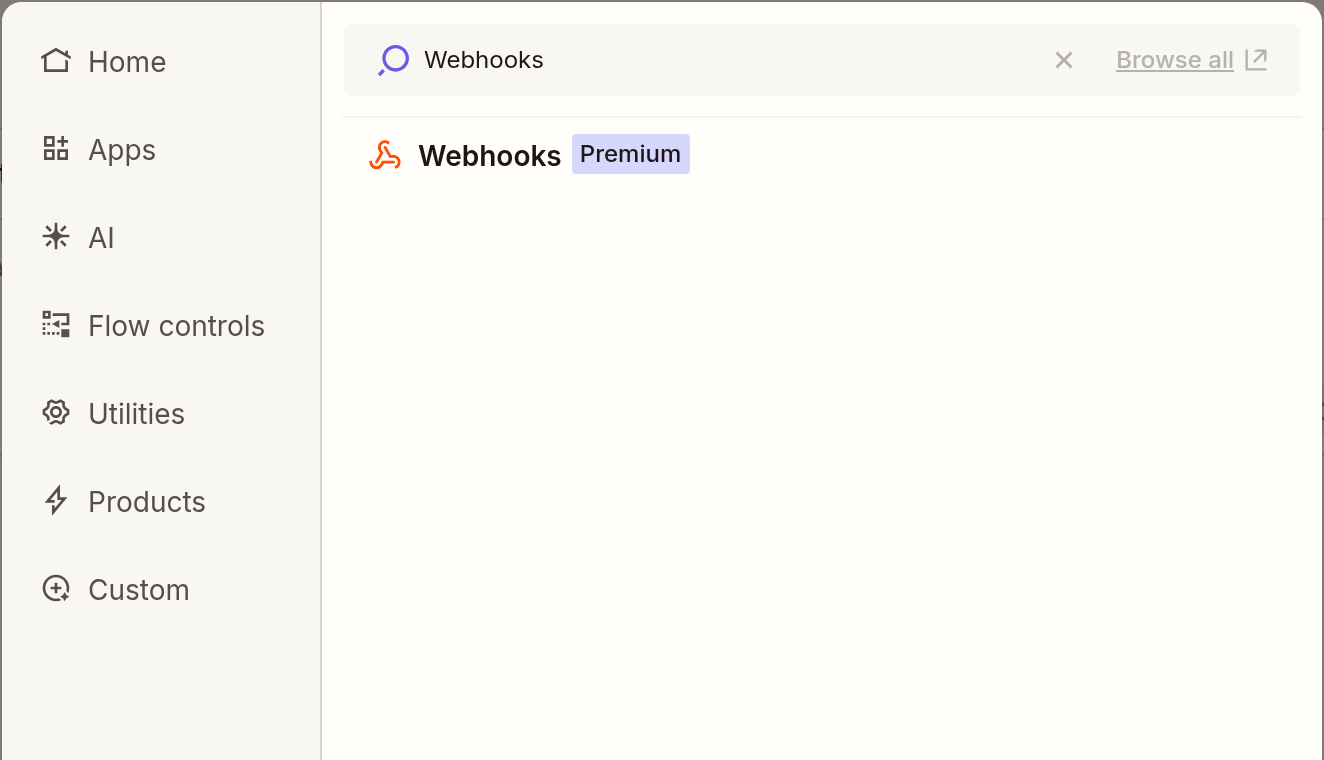
Start a new Zap and click the first box, the one that reads "Select the event that starts your Zap". Type Webhooks into the search, and pick the Webhooks result it finds.
- 2In Zapier
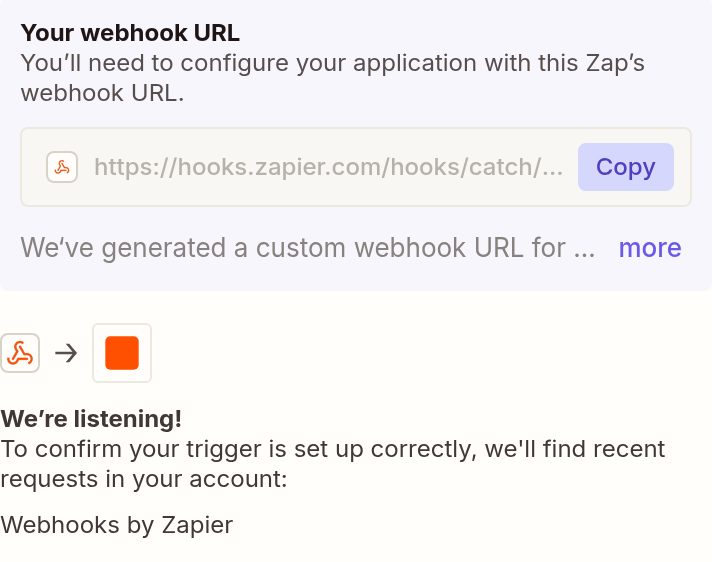
Under "Trigger event", choose "Catch Hook", then click Continue until the panel headed "Your webhook URL" appears. Hit Copy. That is the address you are about to hand us.
- 3In HomeService.Photos
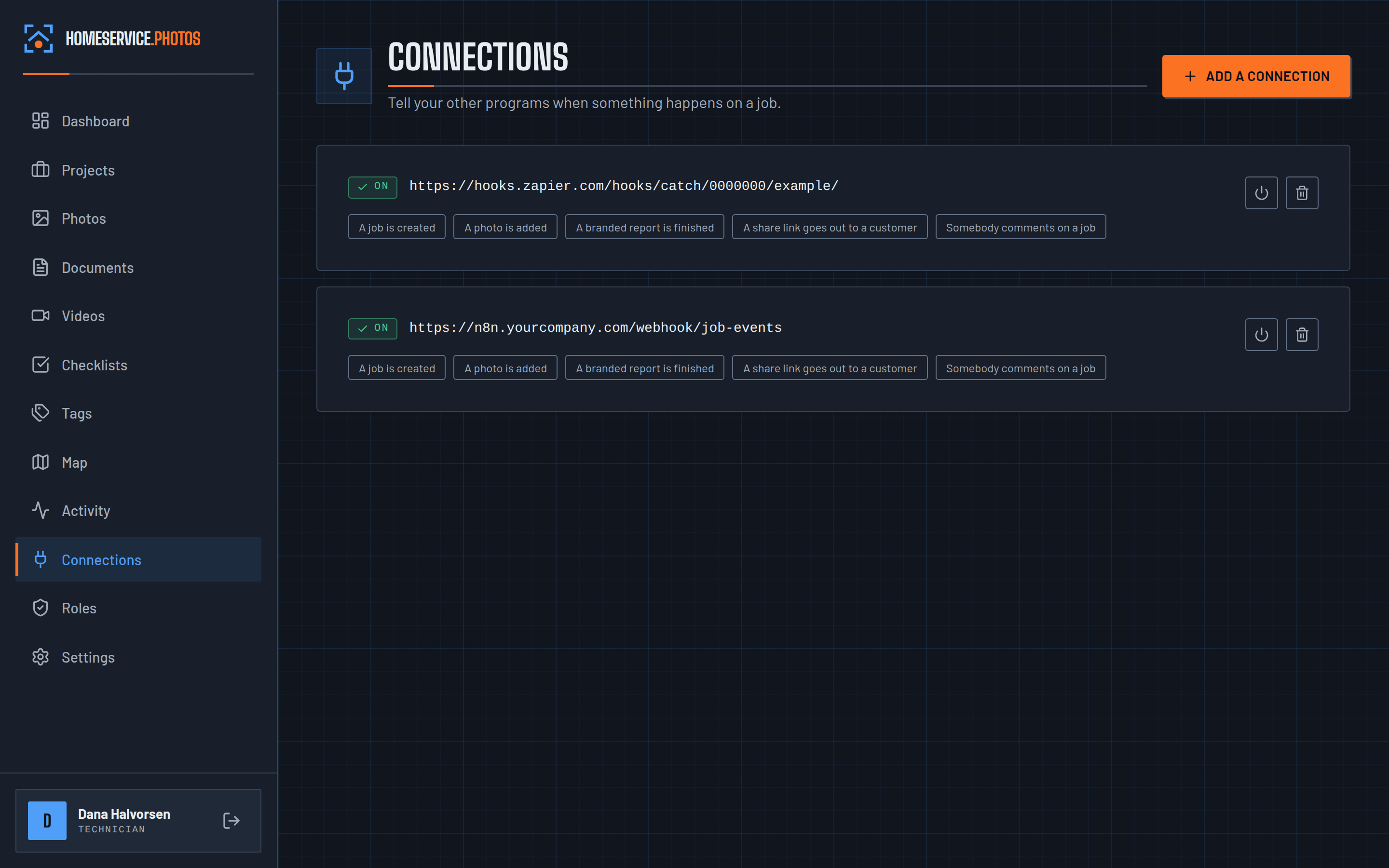
Open Connections here, paste that address into the Address field, and tick whichever moments you want Zapier to hear about. Save it.
- 4In Zapier
Back in Zapier, pick whatever program you want as the next step. That could be the accounting software, the texting app, the spreadsheet, anything Zapier reaches.
- 5In Zapier
Test the whole thing against one real job, then turn it on for good.


We ran this test ourselves
A job was created in HomeService.Photos, and the news landed in both Zapier and a self-hosted n8n in eleven thousandths of a second. Both confirmed they got it. They are very different tools, and neither needed special handling.
- Which job it was, and what it is called
- The address, city, state and postal code
- Who created it, by name
- The date and time, to the second
- A link that opens that job directly
- What kind of thing happened: a job created, a photo added, or a report finished
Before you start
You will need a paid Zapier account. Zapier marks Webhooks as Premium, which you can see on the badge in the first picture, so it is off their free tier. The connection itself lives in your Zapier account rather than here. Start with the one moment that saves you real work, then add the rest once it is running.
Run something else?
Setting up Zapier?
Tell us what you run and which moment you want Zapier to catch.